

Invoices
Corporate clients don’t pay per stay; they’re billed by invoice. An invoice is addressed to a saved company (name, billing email, TIN, address) and assembled from stays that already happened, plus any free-text lines.
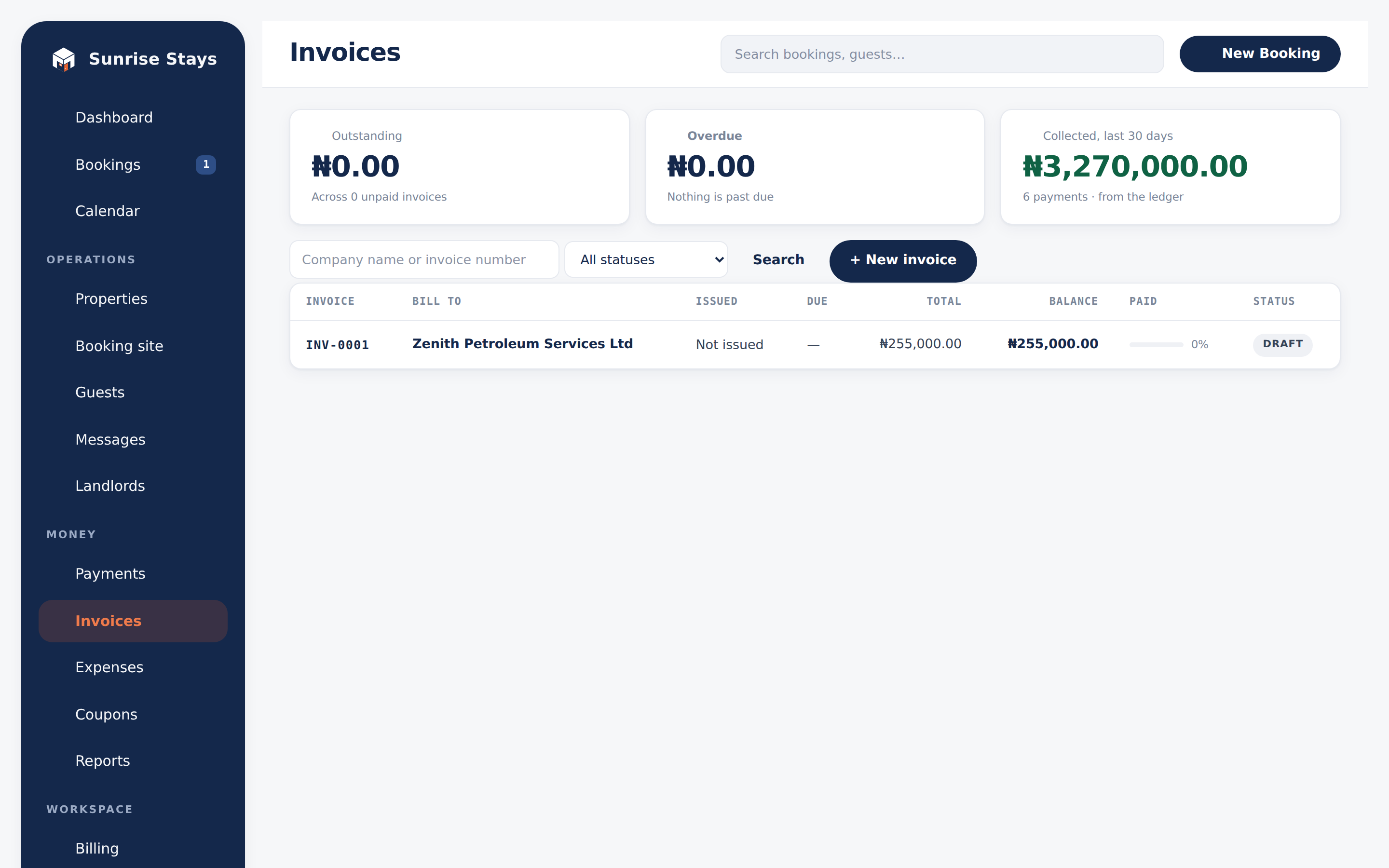
Building an invoice
Section titled “Building an invoice”Invoices → New invoice: pick the company (or create one inline), pick the stays to bill (stays already on another invoice are shown locked), add free-text lines if needed, choose payment terms (due on receipt, net 7/14/30, or a custom date), and either Send or save as a draft.
Invoice numbers are sequential per workspace (INV-0001, INV-0002, …) and
a number a client has seen is never reused.
States: derived, never stored
Section titled “States: derived, never stored”Only draft, sent and void are stored facts. Everything else is computed live from the payments ledger and the calendar: paid, partially paid, overdue. A status chip can never disagree with the money.
The list view leads with an Outstanding / Overdue / Collected-30-days band and a “needs chasing” band; the sidebar badge counts overdue invoices with a balance.
Prices are VAT-inclusive: the VAT split is carved out of the total, so the halves always add back exactly. Your tax terms are snapshotted when the invoice is created, so registering for VAT later never retro-taxes old documents. Sending to a company without a TIN is refused while you’re VAT-registered.
Getting paid
Section titled “Getting paid”- Send emails the company a PDF plus a pay-by-link (valid 120 days, refreshed on every send) asking for exactly the outstanding balance, paid by card or transfer through Paystack.
- Record a payment logs an offline payment (transfer, cash) against the invoice.
- Reminders are automatic: a single courtesy email three days before the due date, then a weekly past-due notice. Never a daily nag.
- Re-sending an invoice is a nudge, not a new demand: the due date doesn’t move.
PDFs and receipts
Section titled “PDFs and receipts”Every invoice downloads as an A4 PDF. A settled invoice renders as a receipt; a voided one keeps its totals under a clear “Voided. Nothing is owed” panel.
Voiding: nothing is deleted
Section titled “Voiding: nothing is deleted”Invoices are never deleted. Void requires a reason, is refused once money has been paid (record a refund instead), and the invoice keeps its number and history.