

Admin app
The admin app at /admin is where you and your team run the business. It’s
available to users with the staff, admin or owner role;
landlords are routed to their own portal instead.
Dashboard
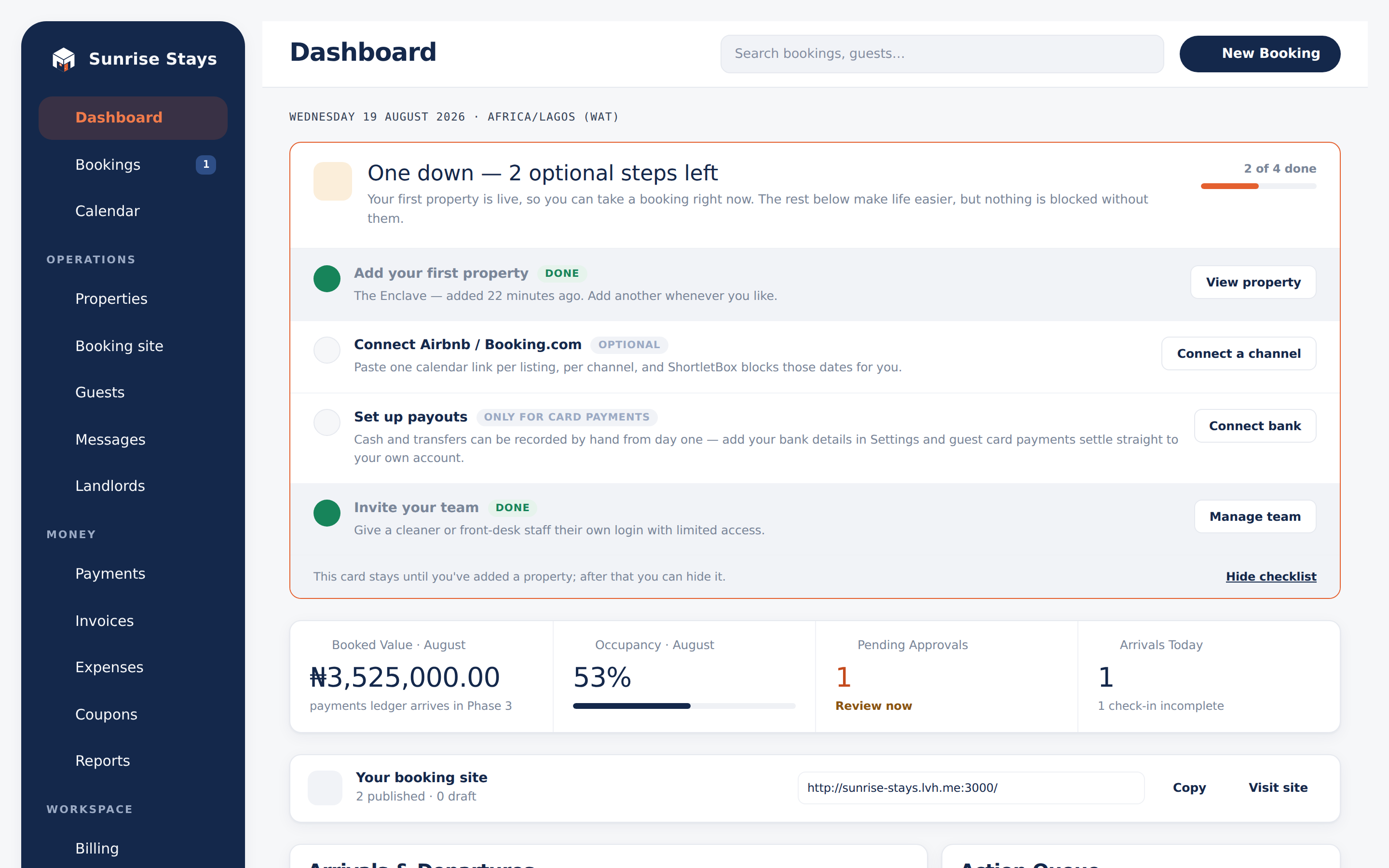
Section titled “Dashboard”The dashboard opens with the numbers that matter today: booked value, occupancy, pending approvals, and this week’s arrivals and departures. Below them, the Action Queue gathers everything waiting on a human (booking requests to approve, failed channel syncs to retry, and booking-vs-block conflicts to review), each with its action inline.
A “Your booking site” card shows your public site link with copy and visit buttons, plus a count of published vs draft listings. New workspaces also see the four-step onboarding checklist here until the first property exists.
Bookings
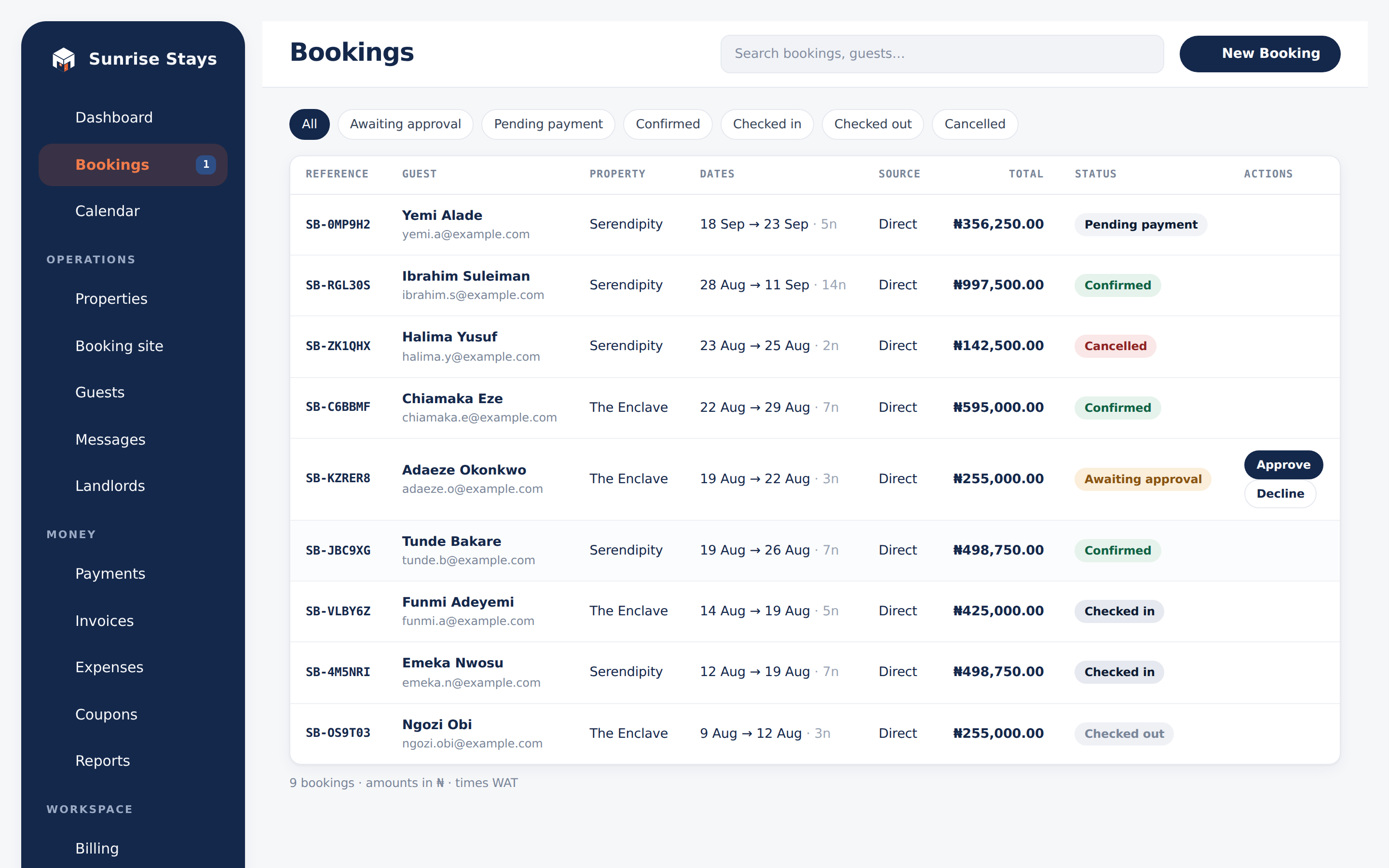
Section titled “Bookings”Bookings lists every stay with status filter chips (Awaiting approval, Pending payment, Confirmed, Checked in, Checked out, Cancelled) and search across reference, guest name and email. Requests can be approved or declined right from the list. Owners and admins also get separate Add booking and Send booking link actions. The second action creates a 48-hour payment hold at an agreed nightly rate and emails the client.
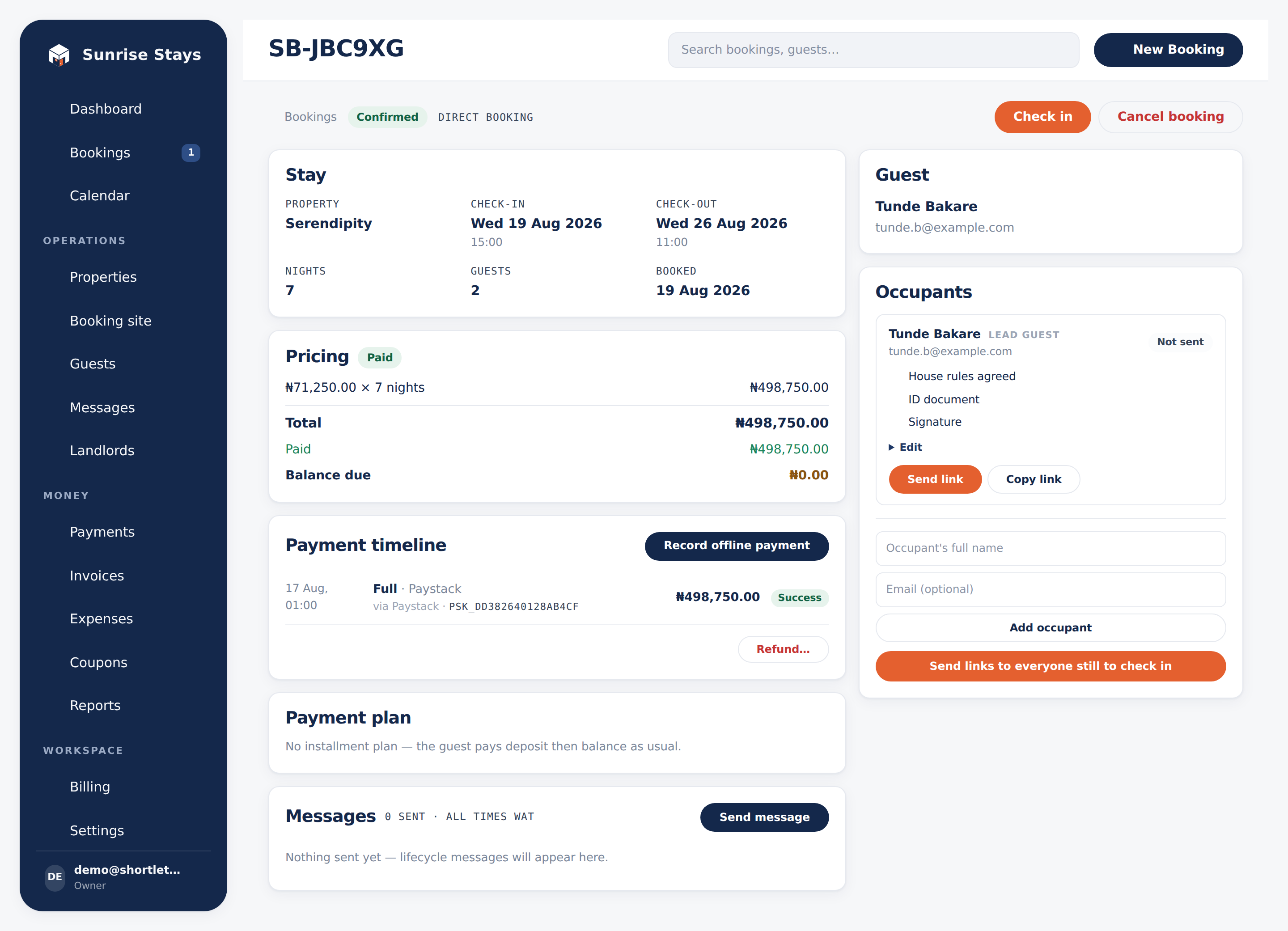
The booking detail page is the hub for a single stay, organised into cards: the stay itself, pricing (total, paid, balance, payment-state chip), the guest, occupants, the payment timeline and the message history. Every action lives here too: approve, decline, cancel, check in, check out, send the check-in link, send a payment link, record an offline payment, record a refund, manage an installment plan, or compose a message to the guest.
See Bookings for the full lifecycle.
Agents
Section titled “Agents”Agents under Operations is available to owners and admins. Each agent has contact details, explicitly assigned properties, a private nightly rate per property and a stable storefront URL. Pause an agent to disable their public links without losing booking history.
The storefront shows current property photos and live availability, but keeps your workspace identity and both public and private prices off the page. Every booking enquiry goes to the agent’s WhatsApp number. See Agent storefronts for setup and booking steps.
Calendar
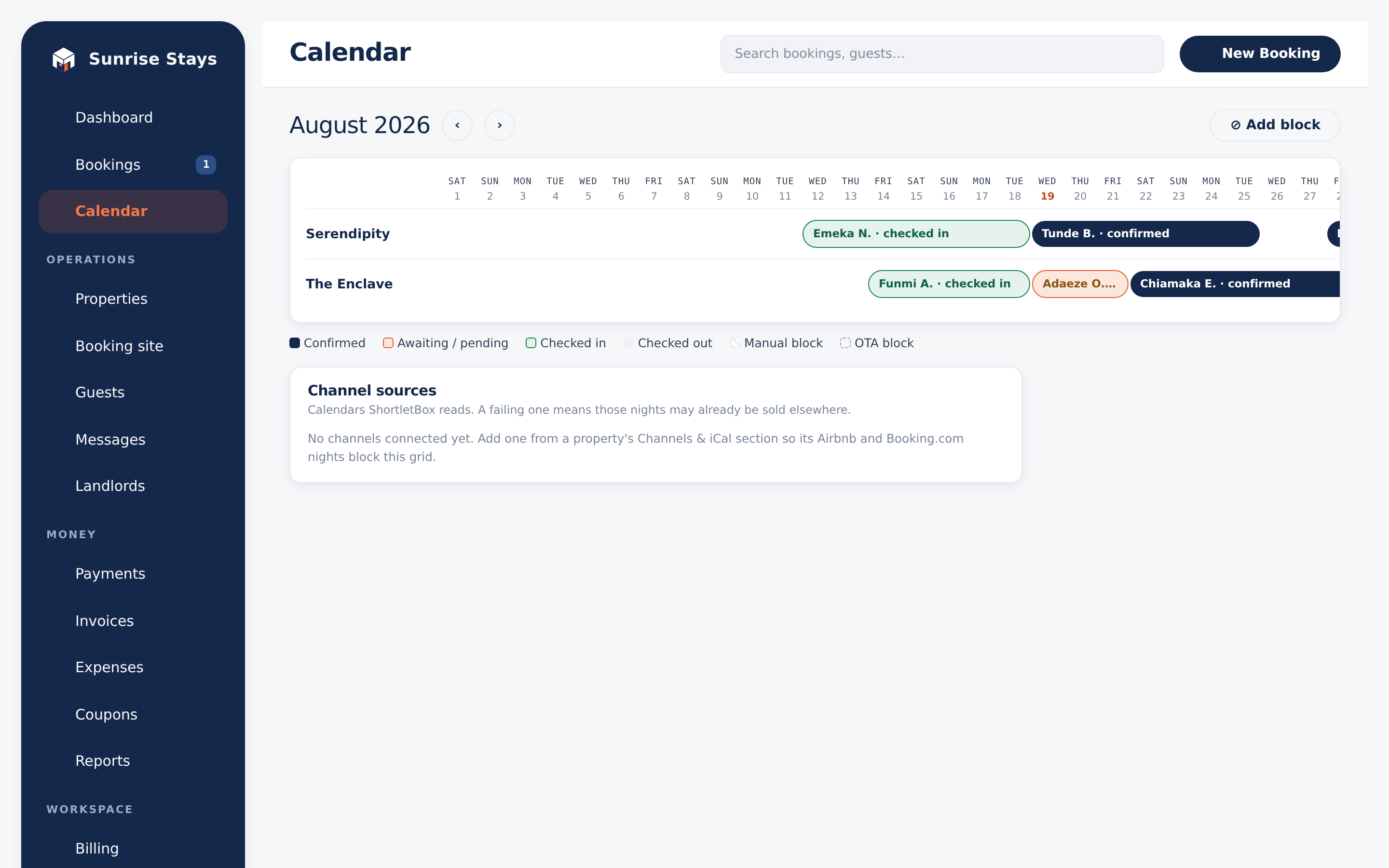
Section titled “Calendar”The calendar shows a month timeline per property from one availability source: bookings (solid, coloured by status), manual blocks (hatched; add or remove them here), and OTA blocks from Airbnb/Booking.com (dashed and read-only; they clear when the reservation does). A banner appears if a booking and a block ever claim the same nights, and a Channel sources card shows each feed’s health with an inline retry.
Field operations
Section titled “Field operations”On plans with field operations (Growth and above), a Field nav group covers the daily work at your apartments: the Turnovers day board and review, Inspections and quarterly audits, Repairs with your tradespeople contacts, and the housekeeper Scorecard. The property page’s Field operations card sets each unit’s default housekeeper, access note and checklists, and Settings → Field operations holds the deadlines and approval threshold. See Field operations.
Properties
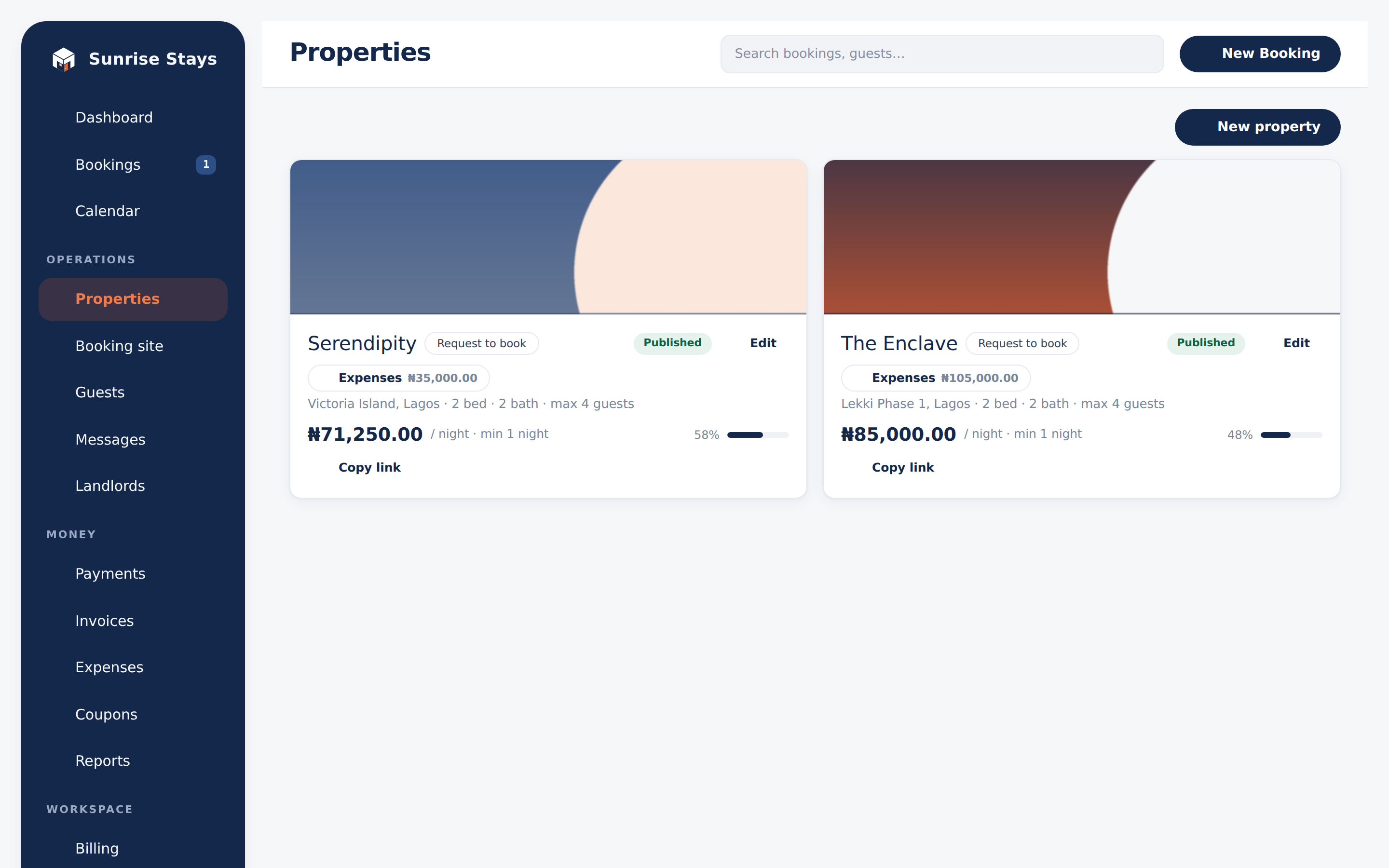
Section titled “Properties”Property cards show occupancy and month-to-date expense spend, with a copy link for published listings and quick access to that property’s expenses. The form covers overview, visibility, pricing & policy, amenities, photos, channel connections and sharing. Retired apartments are archived, never deleted. Full detail in Properties & pricing.
Guests & companies
Section titled “Guests & companies”The guest directory shows every guest with their stay count and lifetime value; a guest’s profile carries their stay history and a messaging opt-out toggle. Companies (same section, one tab across) holds the corporate clients you bill by invoice: name, billing email, TIN and address.
Messages
Section titled “Messages”Two tabs. Templates covers the automated messages ShortletBox sends on your behalf and when each one fires; the Send log is every message sent, newest first, with delivery status chips. See Guest messaging.
- Payments: the append-only global ledger with collected / refunded / net totals, filters and CSV export. See Payments.
- Invoices: corporate billing with derived states, PDF documents and automatic chasing. See Invoices.
- Coupons: discount codes, bulk generation and redemption stats. See Coupons & discounts.
- Reports: VAT, revenue, ledger and expenses over any window. See Reports.
Settings
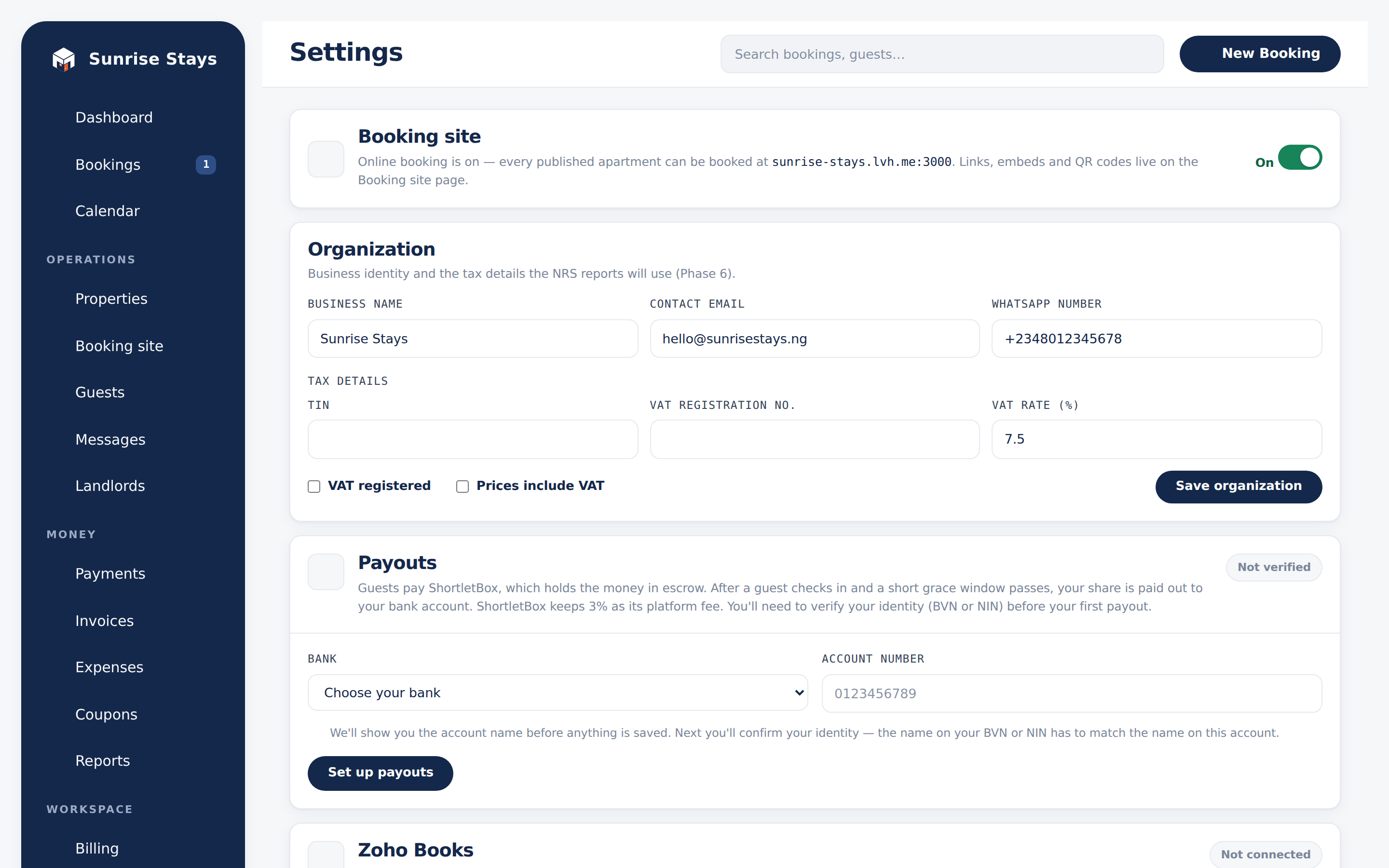
Section titled “Settings”Settings gathers workspace-wide configuration: the booking-site on/off switch, organisation details (name, contact email, WhatsApp number), tax details (TIN, VAT registration and rate), identity and payout verification (personal KYC or registered-business KYB), house rules and check-in information shown to guests, team management, and API keys. Payout verification is owner-only and needs a paid plan. See Payout verification.
Support
Section titled “Support”Support (Workspace group) is where owners, admins, and staff ask the ShortletBox team for help. Create support request takes a subject, your name, a contact email, and a description of the problem. Replies stay on the request, and each team reply emails the contact a link back to it. A New reply chip and a sidebar count mark anything you have not opened yet. Landlords do not see this screen. See Support.
Billing
Section titled “Billing”Billing (owners only) shows your current ShortletBox plan, this month’s booking usage against your plan’s cap, and Paystack checkout for upgrades. Cancelling turns off auto-renew but keeps your plan until the period ends. See Plans & billing.