

Landlord portal
Many operators manage apartments they don’t own. The portal at /portal
gives those owners (landlords) a window into their own units: what was
earned, what was deducted, and who is staying. It is read-only by
construction: the portal has no buttons that change anything, and every
query is drawn strictly around the apartments tied to that landlord.
What a landlord sees
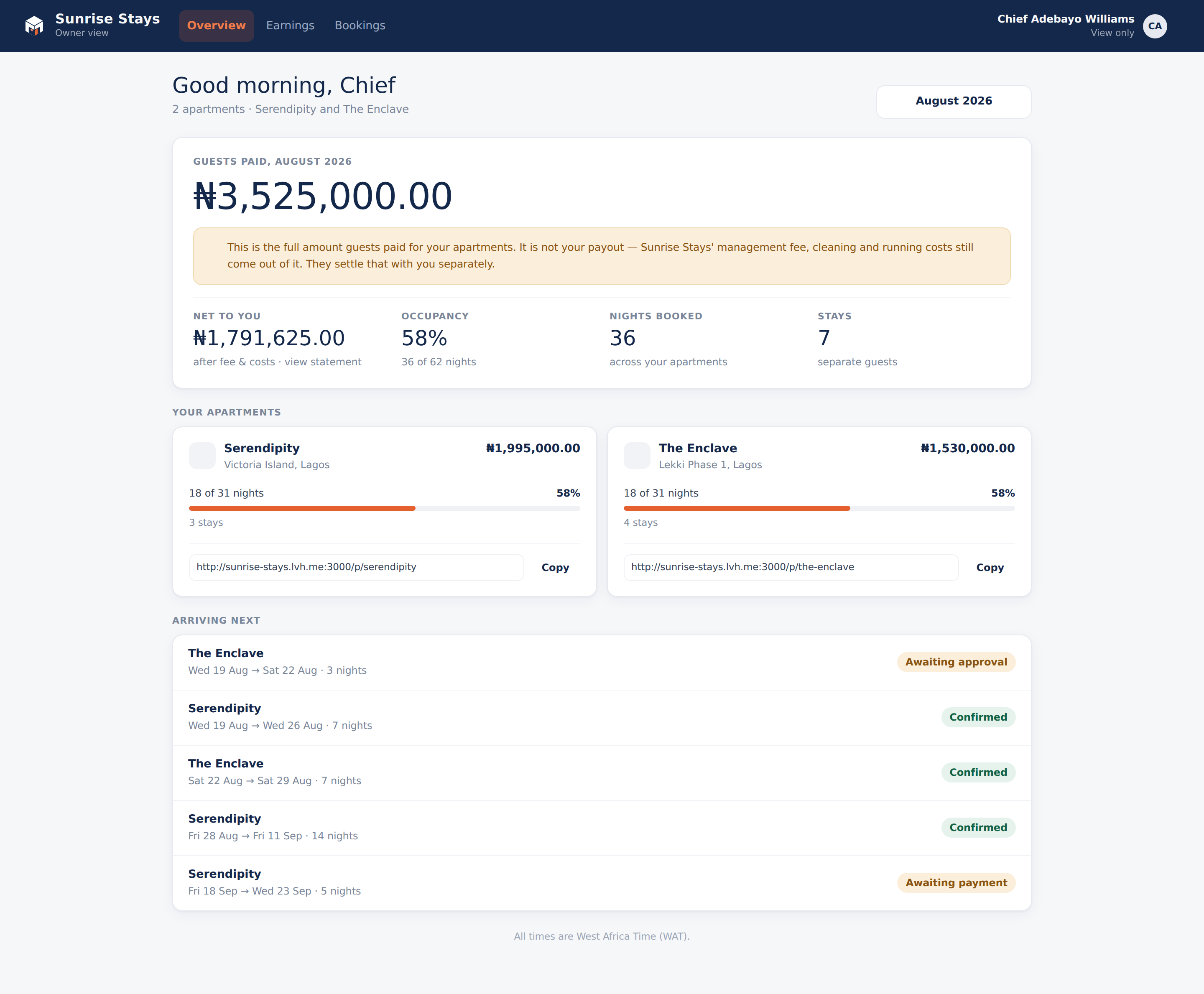
Section titled “What a landlord sees”Overview: a month stepper, the month’s headline (“Guests paid …” with a clear note that gross is not the payout), a Net to you tile linking to the statement, occupancy and nights, a card per apartment, and the next five arrivals.
Earnings: the monthly statement, gross → management fee (with the percentage spelled out) → itemised expenses → net, per apartment and in total, with receipt links for expenses.
Bookings: stays in their apartments with guest first names only,
dates, nights, a status chip in plain language (“Awaiting payment”, not
pending_payment), and what the guest paid. Cancelled stays remain listed,
struck through, outside the totals.
What a landlord never sees
Section titled “What a landlord never sees”The portal is composed as though guest contact details don’t exist: no surnames, emails or phone numbers, and never ID documents, even for their own apartment. Expense receipts are the one private document a landlord can open, because a receipt explains a deduction from their own money.
A landlord who types an /admin URL is simply returned to their portal.
Granting and managing access (admin side)
Section titled “Granting and managing access (admin side)”Landlord access is managed from Landlords in the admin sidebar:
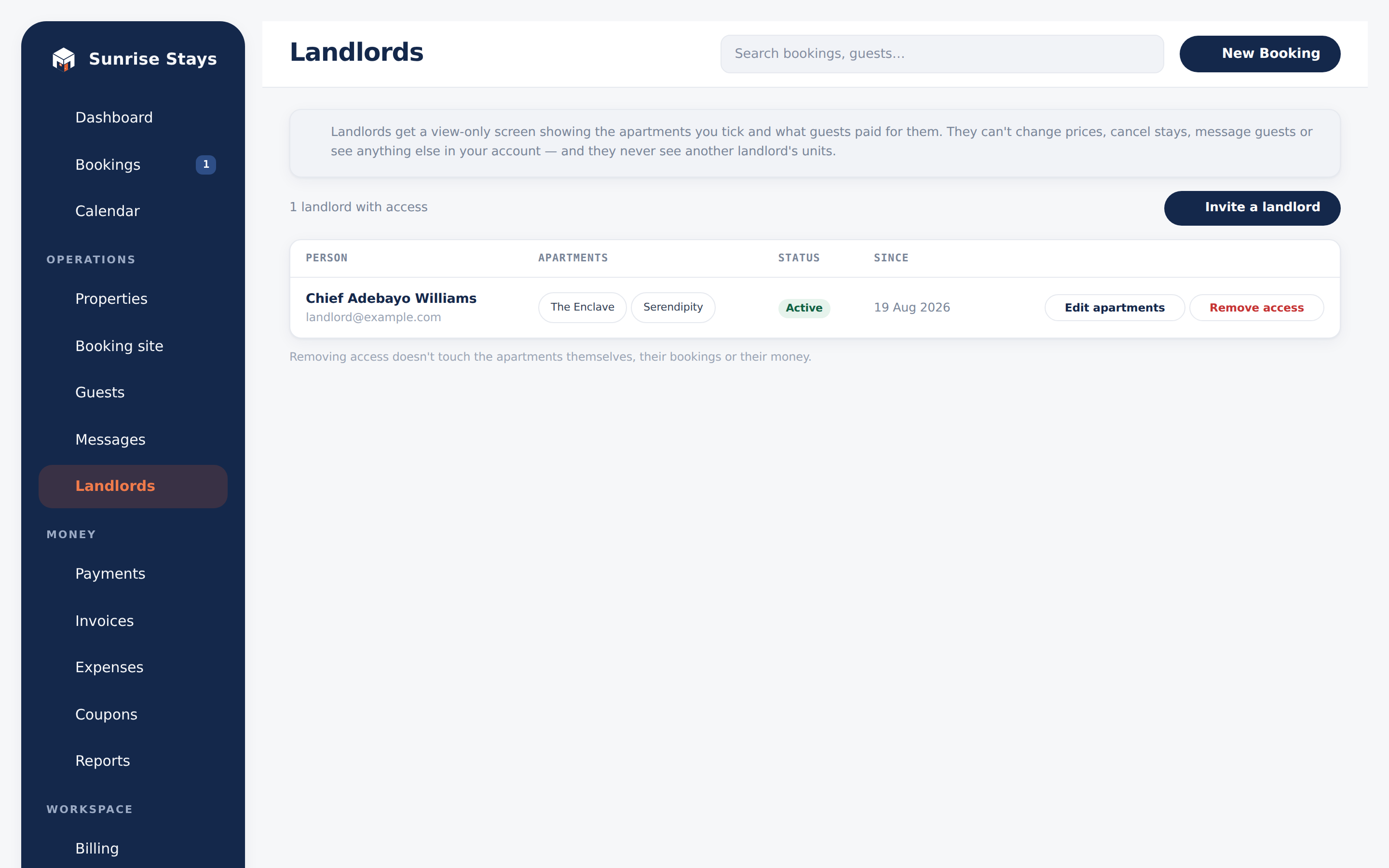
- Invite: enter their email and tick which apartments they should see. An invitation with no apartments ticked is refused. The landlord receives an email, sets a password, and lands in their portal.
- Edit: change which apartments an accepted landlord sees.
- Resend: mints a fresh invitation link (the old one dies).
- Revoke / Remove access: revoke a pending invitation, or delete an accepted landlord’s account and sessions. The apartments and their money history stay untouched.
The landlord role can’t be assigned from the team screen. It only ever arrives with an accepted invitation, because the role is inseparable from the apartments it carries.
Each landlord-apartment link carries the management commission percentage used by the earnings statement.
There’s also a read-only mobile API for landlords (used by the ShortletBox owner app) that is stricter still: it exposes no guest names at all.