

Properties & pricing
Properties are the heart of the workspace. Everything else (bookings, calendar, channel feeds, expenses, landlord statements) hangs off them.
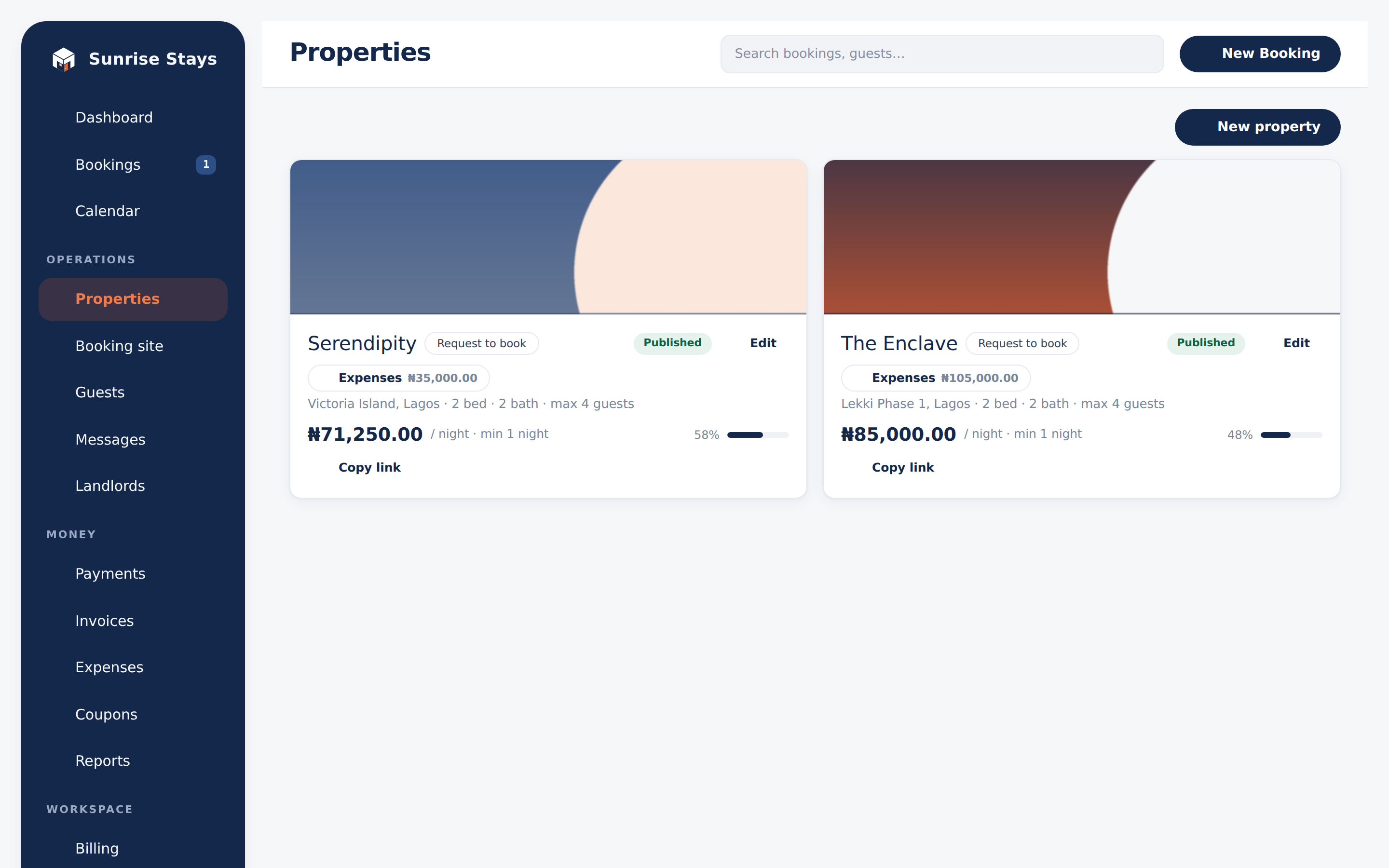
The property form
Section titled “The property form”- Overview: name, location, description, bedrooms, bathrooms, maximum guests.
- Visibility: Published puts the listing on your public booking site; Featured pins it to the top of the grid.
- Pricing & policy:
- Nightly rate in naira.
- Minimum stay in nights.
- Length-of-stay discounts: percentage tiers at 7, 14, 21 and 30 nights; the highest tier the stay reaches wins.
- Deposit: full, percentage, or fixed amount (see Payments).
- Booking mode: Request to book (you approve each request) or Instant book.
- Check-in / check-out times: also used as the smart-lock PIN window where locks are connected.
- Amenities: shown iconed on the public listing.
- Photos: upload and remove; photos appear in the public gallery and lightbox.
Sharing a listing
Section titled “Sharing a listing”Each property card and the form’s Share panel carry the listing’s public link and embed snippet; the Booking site screen gathers all of them with QR codes. See Public booking site.
Expenses
Section titled “Expenses”Every property has an expense book (Properties → Expenses) for running costs: amount, category, date incurred, who was paid, whether it was paid from the bank or from cash, and a receipt upload (image or PDF, up to 10 MB). If your business is VAT-registered, you can also enter the VAT included in the amount, which is kept apart as VAT you can reclaim.
Expenses feed three places:
- the Expenses tab of Reports;
- your books under Accounting; and
- the landlord earnings statement, where they’re itemised as deductions (receipts visible to the landlord).
On an apartment with a landlord, each expense is deducted from their statement unless you untick Deduct from the landlord’s statement. Untick it for a cost the business absorbs; the landlord then doesn’t see it.
Costs that belong to no apartment, such as office rent, salaries or marketing, are recorded from Money → Expenses (the Reports expenses tab).
Staff can record expenses; editing and removing require admin and up. Removing an expense cancels it rather than deleting it: it stays on the record, and it drops out of every total, the books and the landlord’s statement.
Archiving, not deleting
Section titled “Archiving, not deleting”A retired apartment is archived: it’s unpublished, removed from the public site, and its channel feeds are disconnected, but its bookings and expense history remain, and existing stays are never cancelled. Unarchive restores it as a draft; re-publishing and re-connecting channels are deliberate follow-up steps. The properties list hides archived listings behind a “Show archived” toggle.
Listing integrity
Section titled “Listing integrity”To keep the marketplace honest, ShortletBox fingerprints listing photos and normalises addresses behind the scenes. Duplicate photos or addresses across accounts flag the listing for review and freeze payouts until a human clears it. Renames and payout-account changes are logged.