
Public booking site
Every workspace gets its own public booking website on its own subdomain,
for example sunrise-stays.shortletbox.com. Guests browse your published
listings, check availability, get a live price, and request to book. No
account required.
What guests see
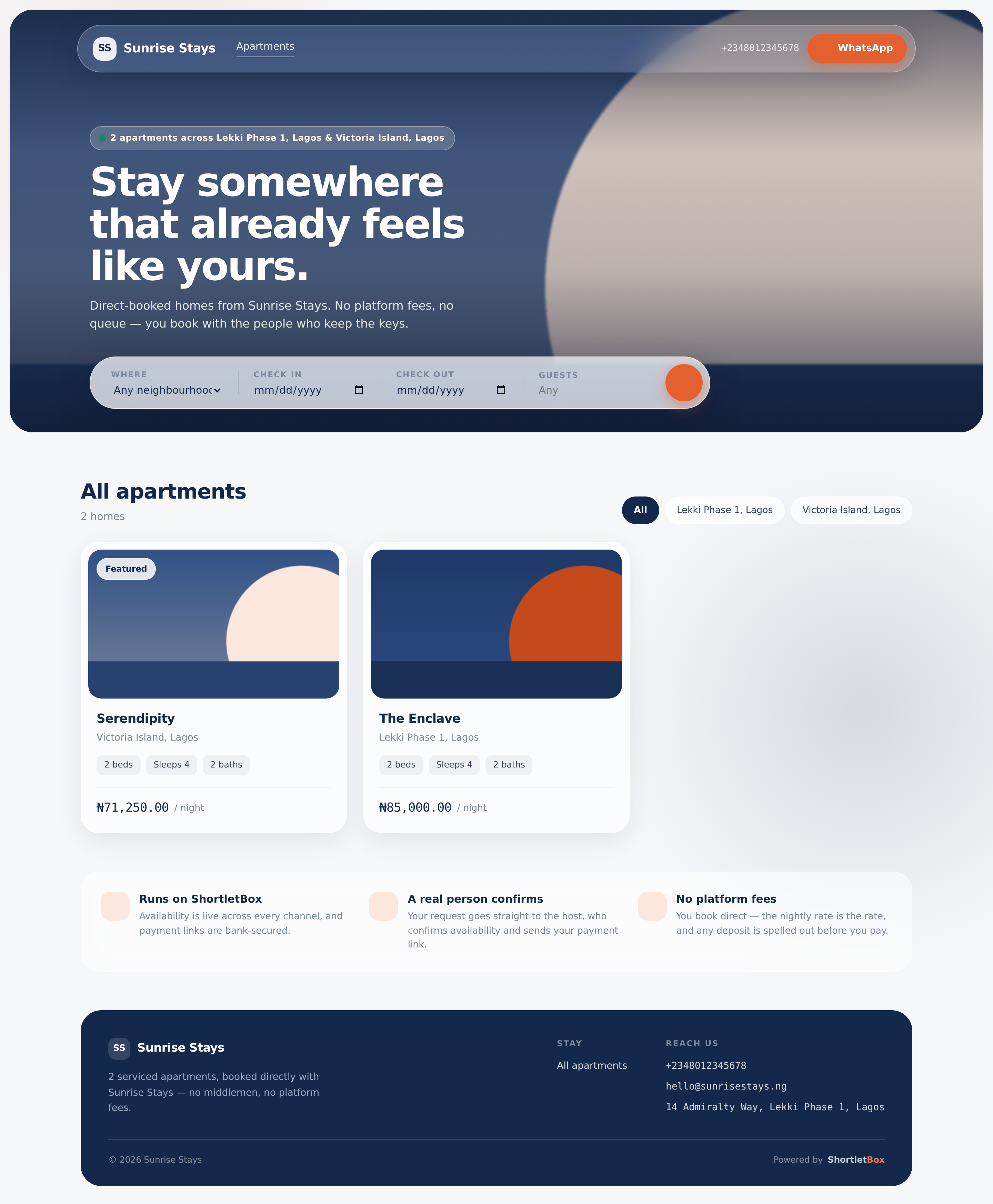
Section titled “What guests see”The landing page opens with a hero and a search bar (location, check-in, check-out, guests) over your listing grid. With a valid date range entered, each card is annotated Available or Booked for these dates.
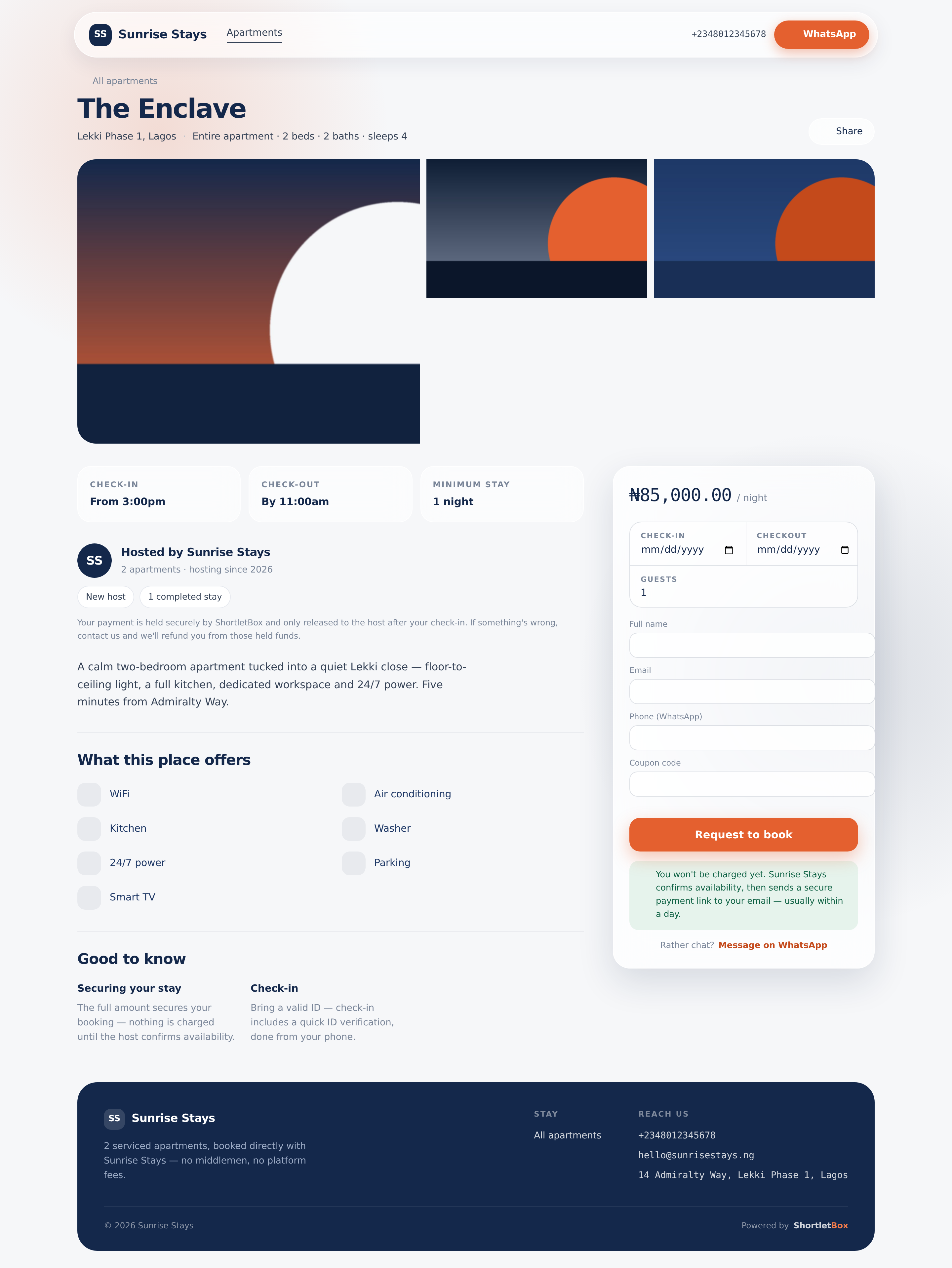
A property page shows the photo gallery (with a fullscreen lightbox; keyboard, swipe and pinch-zoom all work), check-in/check-out times and minimum stay, amenities, house information, and a Hosted by block with honest trust badges: Verified host appears only once your KYC has cleared, and the completed-stays count is real. A sticky booking card carries the request-to-book form with live, server-calculated pricing.
A few things are deliberately absent: ratings, reviews, wishlist hearts and “Guest favourite” badges. ShortletBox never invents data. Those appear only if the platform one day has real numbers behind them.
How booking works
Section titled “How booking works”When a guest submits the form, the request is created as Awaiting approval and shows up in your admin’s action queue (properties set to instant book skip the approval step). The guest lands on a confirmation page, and the rest of the flow (approval, payment link, check-in link) happens over email. See Bookings.
Availability shown to guests is ranges only: the site never reveals who is holding any night.
Managing your site
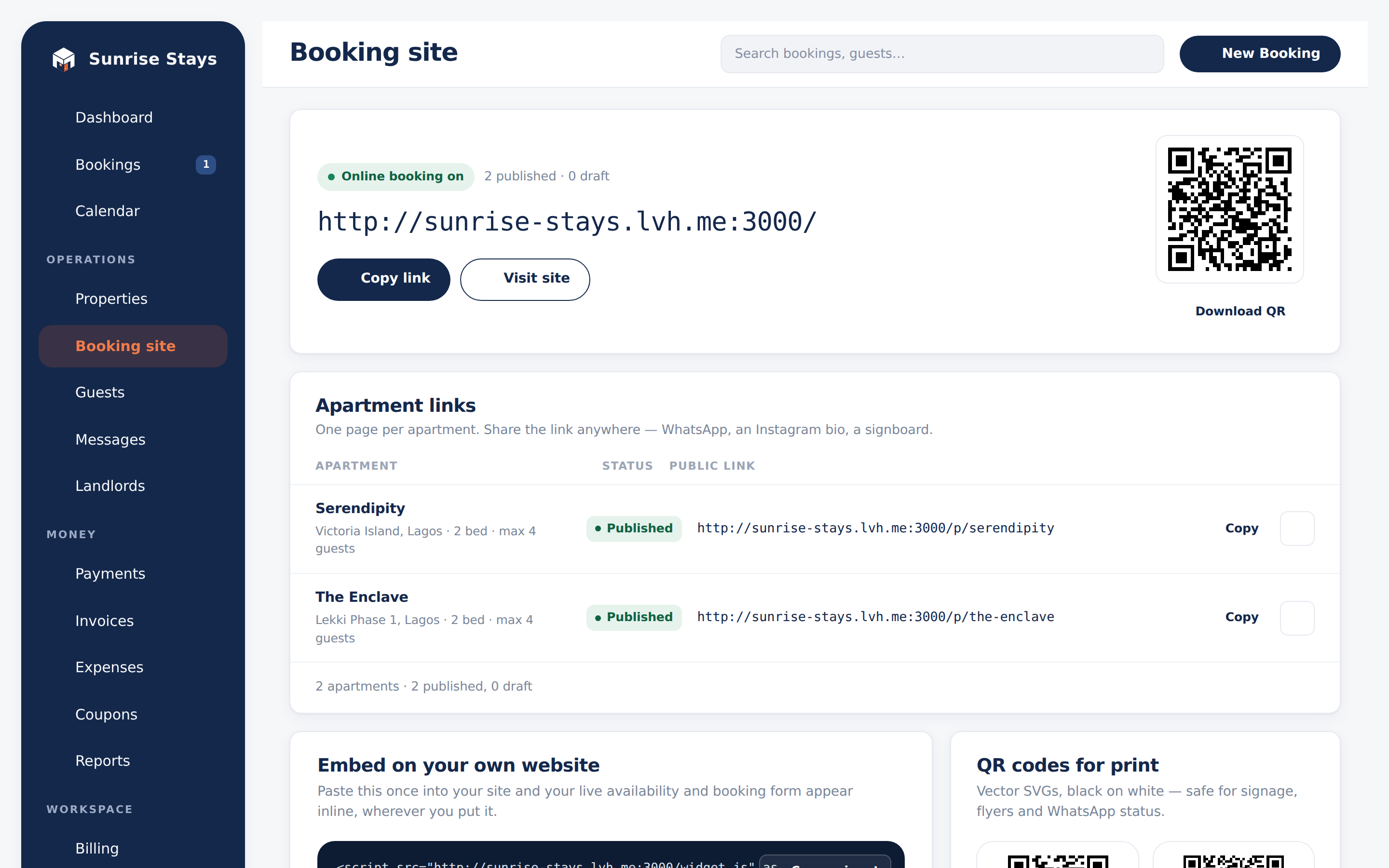
Section titled “Managing your site”Everything about sharing your site lives in the admin under Booking site:
- Your org-wide link: the front door to all published listings.
- Per-apartment links: direct links, with each listing’s published status.
- QR codes: downloadable SVG codes for print.
- Embed snippet: a
<script>tag that embeds the booking flow into an existing website (inline, or as a popup), for the whole org or a single apartment.
Two switches control visibility: the site-wide public booking toggle in Settings, and each property’s Published flag. An unpublished property, or a switched-off site, simply doesn’t exist to visitors.
Sharing properties through agents
Section titled “Sharing properties through agents”An agent storefront is separate from your public booking site. It uses an unlisted tokenised URL, includes only properties you assigned to that agent and sends enquiries to the agent’s WhatsApp number. It does not expose your workspace URL, contact details or prices.
The embeddable widget
Section titled “The embeddable widget”If you already have a website, paste the embed snippet from the Booking site screen. The widget loads the same booking flow in a frame, supports inline and popup modes, and resizes itself. It’s served from the platform, so it stays current without you touching your site again.
Developer access
Section titled “Developer access”For deeper integrations there’s a Public API (properties, availability, quotes and booking requests) authenticated by API keys you issue under Settings → API keys, with per-key origin allowlists. See Team & access for issuing keys.