
Reports
Reports answers the money questions (what came in, what the VAT split is, what every row was, and what it cost to run) from one reading of the ledger, shown four ways. Because all four tabs read the same window once, no two tabs can ever disagree.
The window
Section titled “The window”Pick Month, Quarter, Year or a custom range. The whole selection lives in the page URL, so a report is a link: send it to your accountant and they see exactly what you see.
The money tabs are cash basis (a payment counts on the day the money arrived), stated right on the page. The expenses tab is accrual (by the date the cost was incurred), also stated, so the two are never silently mixed.
The four tabs
Section titled “The four tabs”- VAT: gross collected, output VAT and net, with one row per payment carrying its own split (summed row by row, never taken once off the total), and a reconciliation line naming how many ledger entries back the figures. VAT counts only from the date you registered, so registering in July doesn’t retro-tax June. Not VAT-registered? The tab stays and says there’s nothing to file, rather than showing misleading zeros.
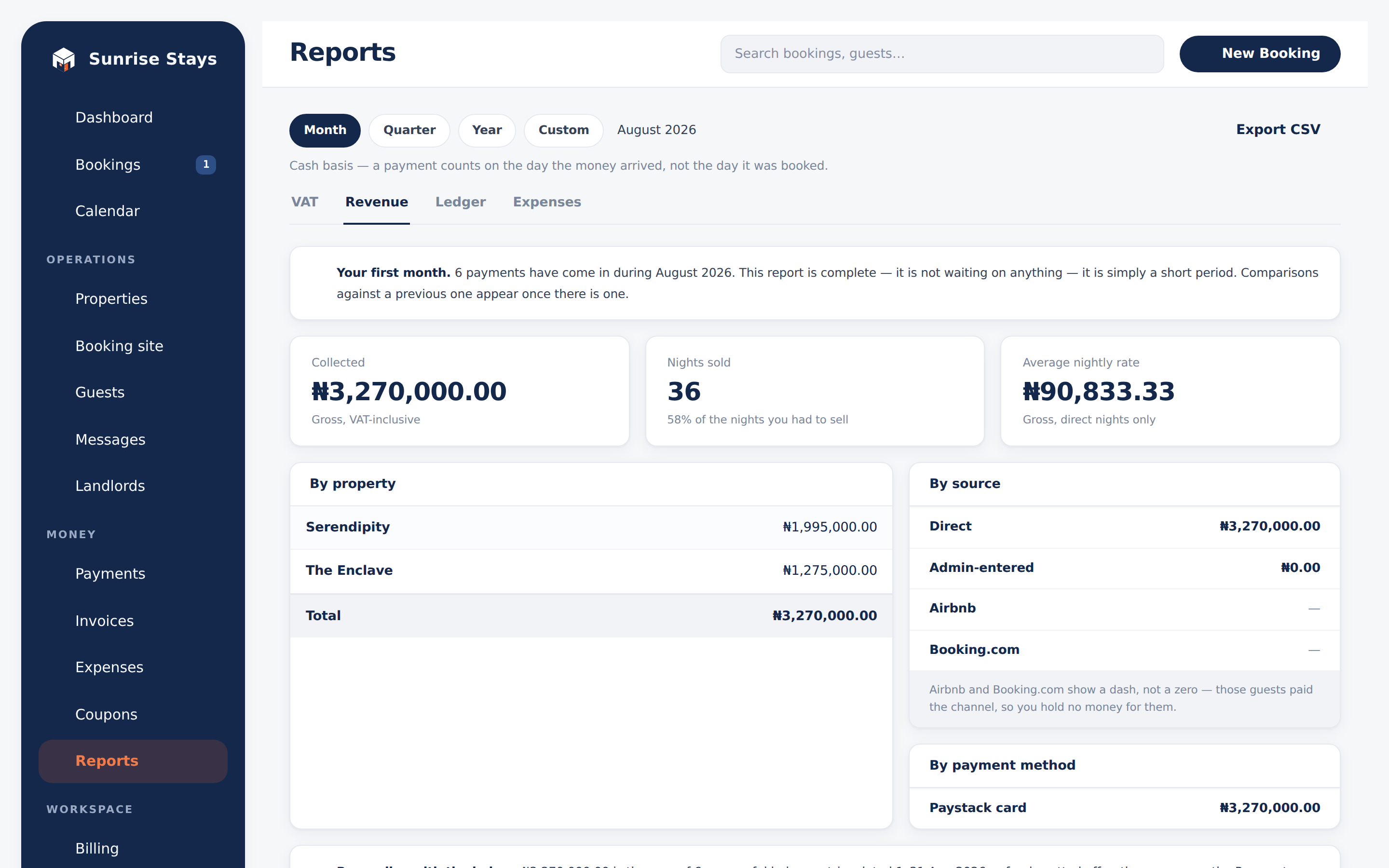
- Revenue: collected, net of VAT, nights sold and average nightly rate; a six-period trend; breakdowns by property, by source and by payment method. Invoice money is spread back across the stays the invoice billed, proportionally, so per-property numbers stay honest. Airbnb and Booking.com rows show a dash: channel money never passes through ShortletBox, and the report says so instead of pretending.
- Ledger: every payment row in the window, unaggregated, refunds carrying their own sign.
- Expenses: category cards, a by-property table and the row list, fed by the expense books on your properties. Costs of the whole business are recorded here too, and shown as Business-wide. Cancelled expenses are left out.
Export
Section titled “Export”Every tab exports CSV of the whole window (never just the rows on screen), with kobo alongside naira for spreadsheet-safe math.