

Guest check-in
Before a guest arrives, they complete a short online check-in: upload a photo ID, agree to your house rules, and sign. It happens on their phone, through a tokenised link. No account, no password. The link is the credential.
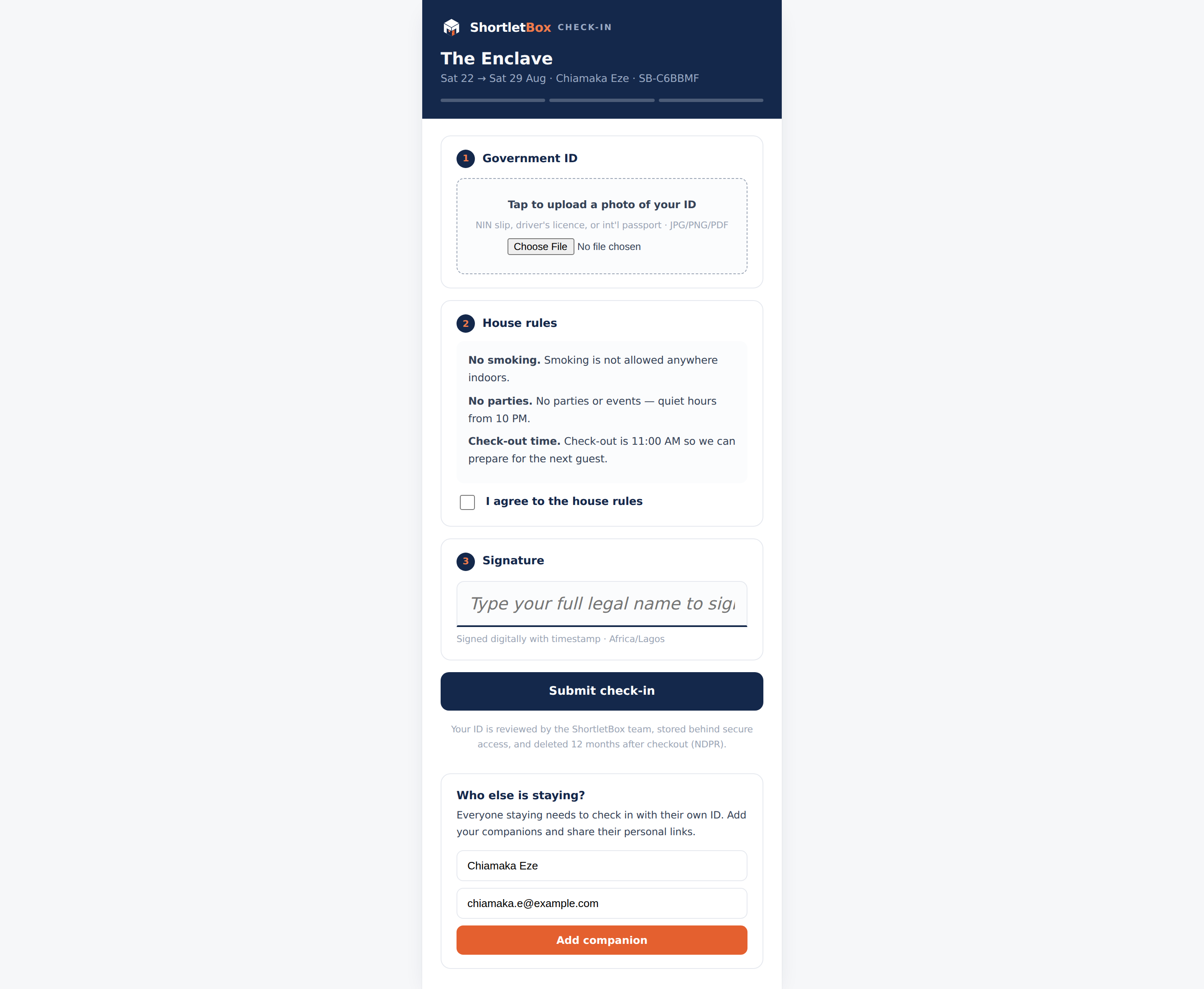
The guest’s side
Section titled “The guest’s side”When a booking is confirmed, the guest automatically receives a check-in email with their personal link. The link opens a three-step wizard:
- ID upload: JPEG, PNG, HEIC/HEIF, WebP or PDF, up to 10 MB. A rejected file explains exactly what to fix.
- House rules: your rules (managed under Settings), with the agreement timestamped.
- Signature: a typed-name signature.
Progress is saved at every step, so a guest can start on the bus and finish at the airport.
Companions: the primary guest can add the other people staying (up to the booking’s guest count). Each companion gets their own link, which the primary guest can email to them or copy directly.
Expired links, cancelled bookings and invalid tokens all land on one friendly “this link is no longer active” page.
Your side: the review gate
Section titled “Your side: the review gate”Guests completing the wizard does not check the booking in. Every occupant must submit and be confirmed by your team. On the booking’s detail page, each occupant row offers:
- Confirm ID: approves that occupant’s submission.
- Request re-upload: bounces a blurry or wrong document back to the guest with an email.
- Send / Resend link and Copy link: for guests who lost the email.
- Edit / Add / Remove: manage the occupant list itself.
Confirming the last occupant is the moment ShortletBox releases the access-codes email (exactly once), assembled from the check-in information you maintain in Settings: WiFi, directions, building access. If the property has smart locks connected, the guest’s door PIN is sent as a separate email at the same moment.
Once every occupant is confirmed, the Check in action on the booking becomes available.
Bookings your team creates in the admin bypass the online check-in gate entirely. The person is standing in front of you.
Privacy
Section titled “Privacy”Guest ID documents are private attachments: they’re served only to your organisation’s staff, never to landlords (even for their own apartment), and never to anyone holding a guessed URL. A guest handed their ID to your business, not to their host.